

Description
Download Disk PLUS – Fast, Free Disk Cleaner for Windows & macOS
Overview: Why Disk PLUS Is the Multipurpose Disk Utility You Need
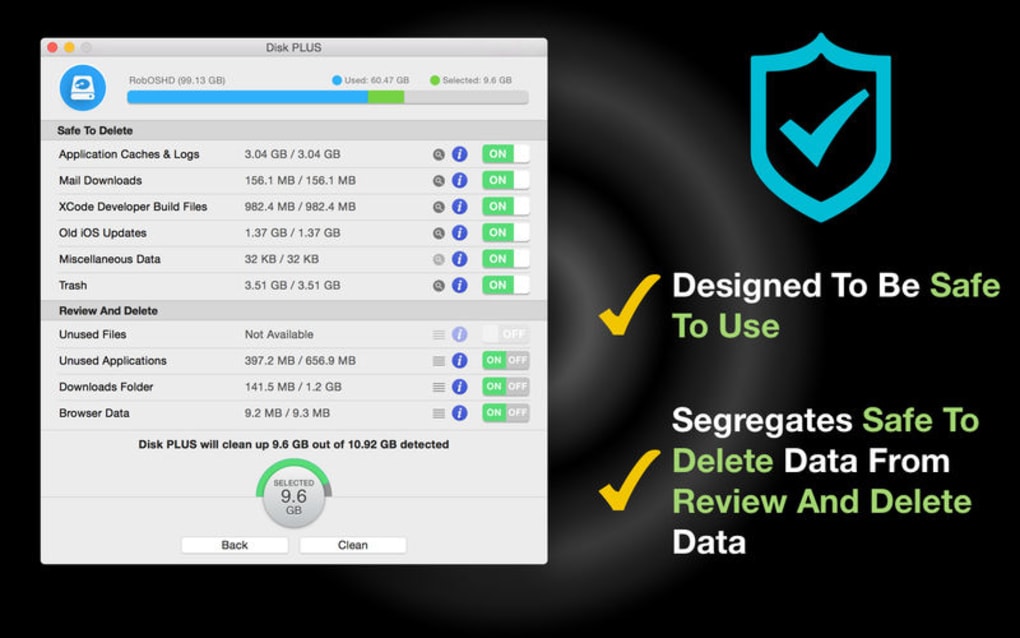
Disk PLUS is a free, lightweight disk‑cleaning utility designed to keep internal and external drives running at peak performance. Whether you’re using a Windows PC, a macOS laptop, or an external thumb drive, Disk PLUS scans for unnecessary files—temporary internet files, duplicate installers, cache data, and more—then separates them into two clear categories: “Safe to Delete” and “Review Before Deleting.” This two‑tier approach dramatically reduces the risk of accidentally removing important data while still delivering a noticeable boost in free space and system speed.
The tool’s intuitive interface lets you run a quick scan with a single click, view a detailed breakdown of each file type, and decide which items to purge. Because Disk PLUS works on both internal hard drives and removable media, it’s an excellent companion for users who frequently move large libraries between devices or need to keep a backup drive tidy. The software also provides a real‑time summary of how much space you’ve reclaimed after each clean‑up, giving you instant feedback on the impact of your maintenance routine.
Security is another strong point. Disk PLUS runs locally—no data is uploaded to the cloud—so you can trust that your personal files stay private. The application receives regular updates that add new detection rules for emerging junk file patterns and improve compatibility with the latest operating‑system releases. In short, Disk PLUS offers a balanced mix of power, safety, and ease‑of‑use that makes it a standout choice among free disk utilities.
Key Features of Disk PLUS
- Comprehensive junk‑file detection for Windows 10/11 and macOS 10.13+
- Two‑stage deletion system: “Safe to Delete” vs. “Review Before Deleting”
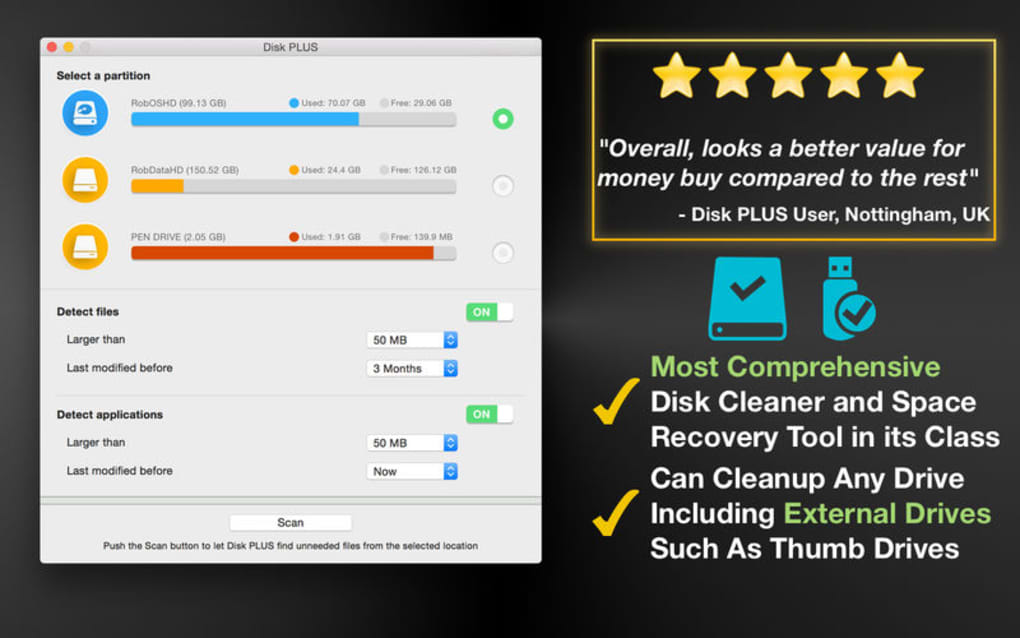
- Support for internal HDD/SSD, external drives, USB thumb drives, and network shares
- Real‑time space‑recovery statistics and visual progress bar
- Automatic update notifications to keep the scanning engine current
- Low‑resource footprint – runs smoothly even on older machines
- Multi‑language support (English, Spanish, German, French)
- Exportable scan reports in CSV or PDF for audit trails
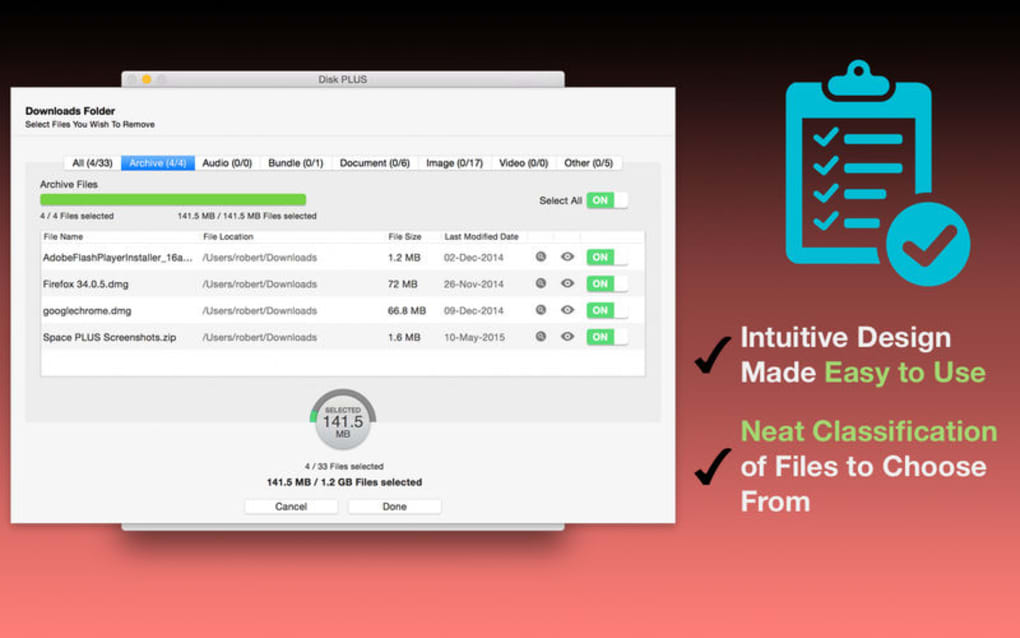
Disk PLUS’s feature set is built around the principle of “maximum cleaning, minimum risk.” The scanning engine uses a constantly refreshed database of known junk file signatures, ensuring that newly emerging temporary file types are caught quickly. The “Review Before Deleting” list is presented in a sortable table, allowing you to filter by size, date, or file type before confirming removal. This is particularly useful for developers or power users who maintain multiple versions of the same software and want to avoid accidental deletions.
Another practical feature is the ability to schedule automatic scans. Users can set daily, weekly, or monthly clean‑ups, and Disk PLUS will run silently in the background, notifying you only when it has reclaimed a significant amount of space. The exportable reports are handy for IT administrators who need to document maintenance activities across multiple workstations. Overall, these capabilities combine to make Disk PLUS not just a one‑time cleaner but a long‑term maintenance partner for any computer.
Installation, Usage & Compatibility
Installing Disk PLUS is straightforward. Download the installer from the official website, then run the .exe file on Windows or the .dmg package on macOS. The installer guides you through a typical “Next‑Next‑Finish” process, and you can choose a custom installation folder if desired. Once installed, launch Disk PLUS from the desktop shortcut or the start menu. The first launch may prompt you to grant administrator privileges—this is required to access system‑level folders where many junk files reside.
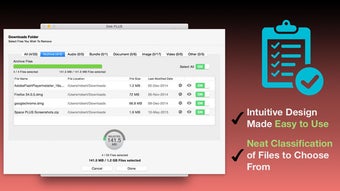
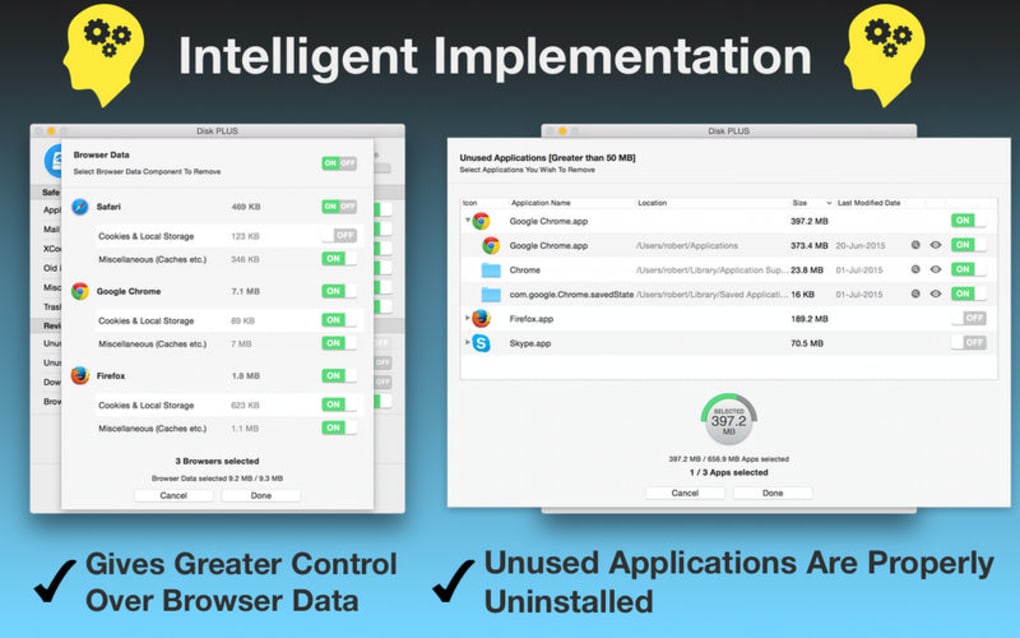
Using the application is equally simple. The main window displays three primary buttons: Scan Now, Review Results, and Clean Selected. Click “Scan Now” to start a quick analysis of all attached drives. Within seconds, Disk PLUS presents a summary of total junk detected and the amount of space that can be reclaimed. The “Review Results” tab lists files under the two categories mentioned earlier. You can expand each category, sort columns, and tick checkboxes for items you want to keep. Once satisfied, click “Clean Selected” to delete the chosen files permanently.
Compatibility is a key strength of Disk PLUS. The software supports Windows 10, Windows 11, and all recent macOS versions (10.13 High Sierra and later). It also runs on 64‑bit architectures and can detect and clean drives formatted with NTFS, FAT32, exFAT, and APFS. While the core functionality is the same across platforms, the macOS version includes additional support for cleaning system caches that are unique to Apple’s operating system. Minimum system requirements are modest: 2 GB RAM, 200 MB of free disk space for the program itself, and a modern processor (Intel i3 or equivalent). This low overhead ensures that Disk PLUS can be used on older laptops without slowing down everyday tasks.
Pros, Cons, FAQ & Conclusion
Pros
- Free and fully functional without hidden fees.
- Clear two‑stage deletion system minimizes accidental data loss.
- Lightweight; runs smoothly on both old and new hardware.
- Supports a wide range of storage media, including external drives.
- Regular updates keep junk detection current.
- Exportable reports aid in documentation and auditing.
Cons
- Occasional false positives when multiple versions of an app exist.
- No built‑in deep‑disk defragmentation or error‑checking tools.
- Interface, while functional, looks dated compared to premium competitors.
Frequently Asked Questions
-
Is Disk PLUS safe for my important files?
Yes. The app separates files into “Safe to Delete” and “Review Before Deleting.” Only the first group is removed automatically, giving you full control over any files that might be needed later.
-
Can Disk PLUS clean SSDs without reducing their lifespan?
Disk PLUS only deletes files; it does not perform intensive write‑heavy operations like defragmentation, so it does not negatively affect SSD endurance.
-
Does Disk PLUS work on network‑attached storage (NAS) devices?
Yes, as long as the NAS drive is mapped to your computer and appears as a mounted volume, Disk PLUS can scan and clean it.
-
How often should I run Disk PLUS?
A weekly scan is ideal for most users. If you frequently download large files or install/uninstall software, consider a daily scan.
-
Is there a paid version with extra features?
Currently Disk PLUS is offered completely free. The developer may introduce premium modules in the future, but all core cleaning functions remain free today.
Conclusion & Call to Action
Disk PLUS delivers exactly what its name promises: a straightforward, reliable way to keep your disks in optimal shape without spending a dime. Its dual‑category deletion system, broad device compatibility, and lightweight design make it a practical choice for home users, students, and small‑business IT staff alike. While it lacks some of the advanced features found in paid suites—such as deep defragmentation or built‑in backup management—it excels at what it sets out to do: identify and remove unnecessary files safely and quickly.
If you’re looking for a free, secure tool to reclaim space, improve system responsiveness, and maintain a clean storage environment, download Disk PLUS today. The installation takes less than a minute, and the first scan will show you how much junk you’ve been carrying around. Keep your computer fast, your data safe, and your hard drives healthy with Disk PLUS.
Guides & Tutorials for Disk PLUS
How to install Disk PLUS
- Click the Preview / Download button above.
- Once redirected, accept the terms and click Install.
- Wait for the Disk PLUS download to finish on your device.
How to use Disk PLUS
This software is primarily used for its core features described above. Open the app after installation to explore its capabilities.
User Reviews for Disk PLUS 0
No reviews found





.webp)